
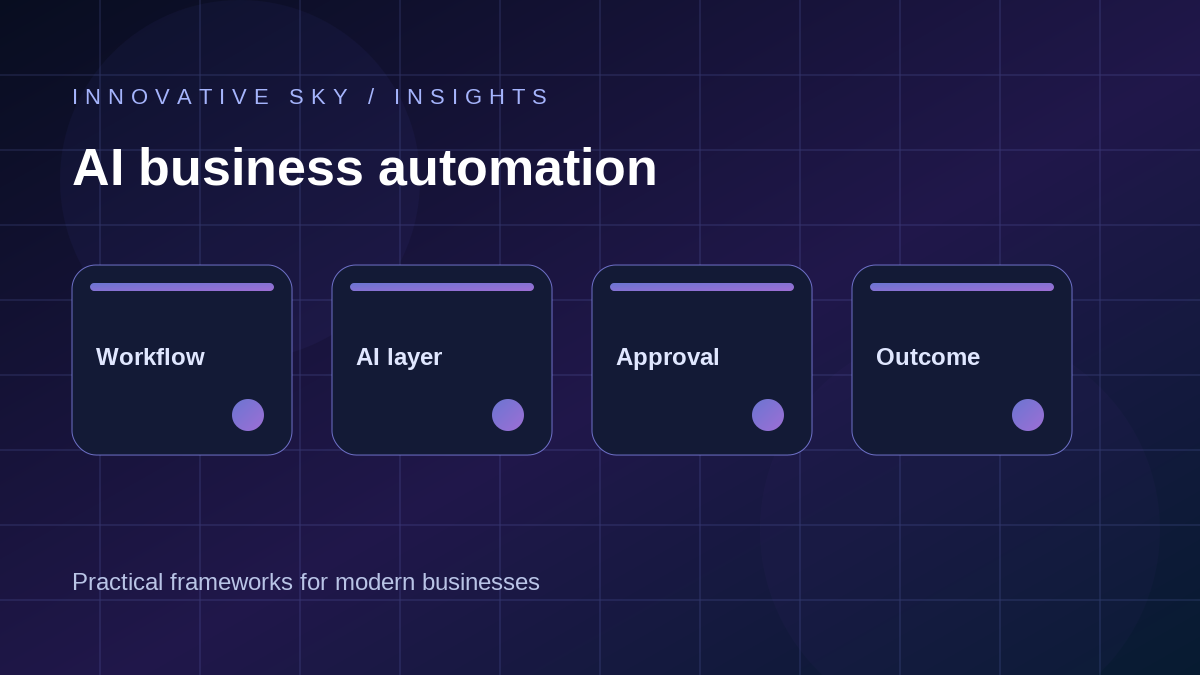
Start with the workflow, not the AI
Map how work currently happens, including inputs, systems, decisions, handoffs, exceptions and owners. Choose a problem with a measurable cost, delay or quality issue. Automating a poorly understood process usually makes its weaknesses harder to see.
Identify repetitive, bounded tasks
Good candidates may include categorization, document extraction, summarization, drafting, routing and information lookup. Define what the automation is allowed to do, what it must never do and which cases should be escalated. High-impact decisions should have appropriate human oversight.
Connect existing systems thoughtfully
Automation may use APIs, webhooks, queues or approved integrations. Design for authentication, least privilege, tenant isolation, error handling, retries, idempotency and audit logs. Avoid granting an AI unrestricted access to systems or data. Use explicit permissions and scoped tools.
AI agents versus conventional automation
Traditional automation is often predictable and rule-driven. AI can handle ambiguity and unstructured inputs but may produce uncertain outputs. Use AI where interpretation is valuable, and conventional code for validation, calculations, permissions and deterministic actions. Hybrid workflows are often more dependable.
Build approval and validation checkpoints
Validate AI outputs before actions such as sending messages, updating records or making decisions. Provide review screens, confidence or evidence where useful, clear error states and rollback paths. Keep a record of actions and approvals without logging sensitive information unnecessarily.
Security, privacy and governance
Review data handling, vendor terms, retention, access, sensitive information and regulatory obligations. Separate tenant data, restrict execution and test permission boundaries. Define who owns prompts, models, workflows, approvals and incident response.
Measure the value
Baseline the current process and compare cycle time, error rates, cost, throughput, customer experience and exception handling. Count the full cost of integration, monitoring, support and model usage. Evaluate cost per successful outcome rather than counting automated steps.
A practical rollout plan
Pilot one workflow with representative cases and a limited user group. Run tests, monitor exceptions, collect feedback and refine. Expand only after clear sign-off. Maintain documentation, test scenarios and rollback procedures as the workflow evolves.
Practical checklist
- Define the outcome and the audience.
- Measure the current baseline.
- Review evidence, inputs and quality.
- Use validation and human review where needed.
- Track results and keep the workflow updated.
Frequently asked questions
Where should a business start?
Start with a clear task, baseline measurements and representative examples. Use a limited pilot before broad rollout.
Does this guarantee better results?
No single technique guarantees performance. Evaluate changes against quality, reliability, cost and the intended business outcome.
Looking to apply this in your business?
Innovative Sky can help you assess the opportunity, design a practical approach and implement a solution around your goals.
An Implementation Blueprint for Business AI Automation
Map the workflow before automating
Document the current process, trigger, inputs, decisions, systems, exceptions, approvals and outputs. Identify bottlenecks and ownership. Automating a poorly defined process can amplify confusion, so simplify and standardize the workflow before adding AI.
Select a suitable automation candidate
Prioritize repetitive work with stable inputs, measurable outcomes and manageable risk. Estimate time spent, error rate, frequency, handoffs and exception volume. Avoid starting with high-impact decisions or tasks where the business cannot explain or validate the result.
Design the human review boundary
Decide which steps AI may draft, recommend, classify or execute. Require approval for actions that affect customers, finances, employment, access, legal obligations or other consequential outcomes. Give reviewers the evidence, uncertainty and context needed to make a decision. Make overrides and escalation straightforward.
Integrate systems securely
Use approved APIs, scoped credentials, least-privilege access, tenant separation, audit logging and explicit data retention rules. Validate inputs and outputs, handle timeouts and retries safely, and prevent duplicate actions. Keep secrets out of logs and prompts. Test integration failures and recovery paths before production.
Measure business value
Compare the baseline and the automated workflow using cycle time, throughput, error rate, exception rate, quality, user satisfaction and cost per completed task. Include maintenance, model calls, integration work and review time. Define a rollback threshold and make sure the process can operate manually if the automation fails.
Roll out in stages
Use a prototype with synthetic or appropriately controlled data, then a supervised pilot, limited rollout and monitored expansion. Train users, document responsibilities and collect feedback. Review logs, failures, drift, permissions and performance after launch. Keep version control for prompts, workflow logic and model settings.
Automation versus an AI agent
Traditional automation follows predefined rules and is often preferable for deterministic tasks. AI can help with unstructured inputs, classification, summarization and variable language. Agents may choose tools or steps dynamically and therefore need stronger boundaries, monitoring and approval controls. Choose the simplest approach that meets the requirement reliably.
Examples, evaluation and implementation checklist
Example: enquiry intake and qualification
An enquiry workflow may receive a form, validate contact details, classify the requested service, summarize the request and route it to a responsible team member. AI can assist with classification and summarization, while deterministic rules handle required fields, routing thresholds and duplicate detection. A human can review uncertain classifications and edit the summary before contacting the prospect. Measure response time, routing accuracy, conversion and exception rate, not only the number of automated steps.
Operating ownership
Assign an owner for the workflow, integration credentials, prompt versions, data sources, exception queues and monitoring. Document what happens when the AI service is unavailable, the source system changes or an output is rejected. Users need a way to report errors and correct them. Keep operational documentation current and periodically review access and retention.
Advanced considerations and frequently asked questions
Design exception handling from day one
A workflow should define what happens when inputs are incomplete, a source system is unavailable, a classification is uncertain, the model returns an invalid result or a human rejects a recommendation. Exceptions should be visible, assigned and recoverable. Use bounded retries and idempotent actions to prevent duplicate updates. Provide a manual fallback and record the reason for failure without logging unnecessary sensitive data.
Build a monitoring dashboard
Track workflow volume, completion rate, exception rate, processing time, review time, quality signals, cost and integration errors. Monitor changes in the input distribution and outcomes. Alert the owner when thresholds are breached. Use audit records to investigate issues and protect user data. Periodically review access permissions and the underlying process, not only the model prompt.
FAQ: should we start with an autonomous agent?
Usually, start with the smallest reliable workflow. Deterministic rules are often better for predictable steps. AI assistance can be introduced for language, classification, extraction or recommendations. Expand autonomy only when evaluation, permissions, recovery, monitoring and approval boundaries demonstrate that the workflow is dependable.
Operational practices and maintenance
Data quality and privacy review
Before integration, identify what data the workflow requires, who may access it, how long it is retained and whether it should be redacted or excluded. Use synthetic or controlled data during prototyping where possible. Apply least-privilege access, tenant isolation, secure credential storage and audit logging. Do not send unnecessary personal or confidential information to a model. Review provider terms and organizational requirements, and make privacy or security approval part of the deployment process when appropriate.
Change management and staff adoption
Explain the workflow to people who use or supervise it: what the automation does, what it does not do, how to verify results, how to correct errors and when to escalate. Collect feedback during the pilot and make the interface support review rather than conceal it. Training, clear ownership and a reliable fallback can be as important as the model itself. Document the workflow and keep the documentation updated as integrations and prompts change.